Qgenda Plus
Get analysis and insight of your Qgenda schedule.
How to Export Qgenda Schedule.
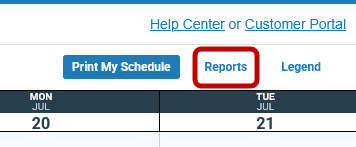
Click Schedule on Qgenda home: 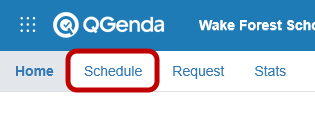 Click on Reports:
  On the popup, Choose "Schedule Export" under "Report Type," choose "CSV" for format. Pick the
time frame to export (max 1 year). Pick "Default" configuration:
On the popup, Choose "Schedule Export" under "Report Type," choose "CSV" for format. Pick the
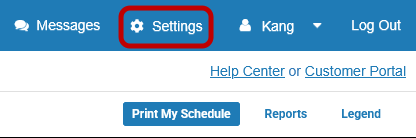
time frame to export (max 1 year). Pick "Default" configuration: 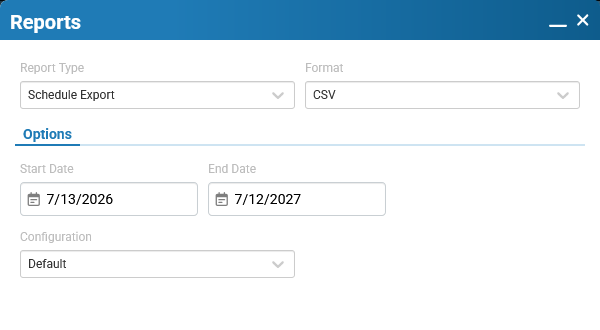 If you don't have configuration, you can create one by going to Settings:
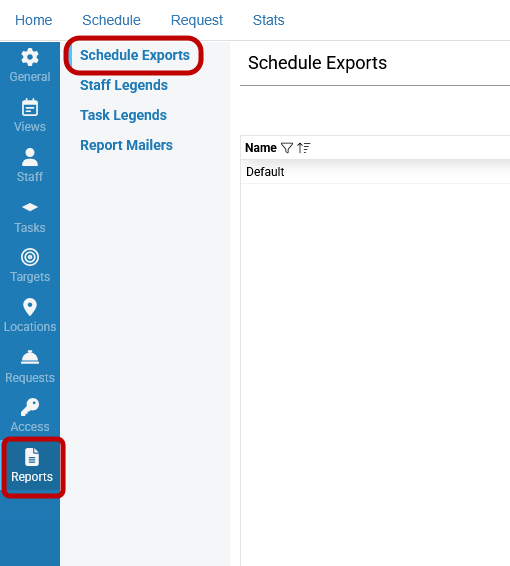
  Click "Reports" and then "Schedule Exports":
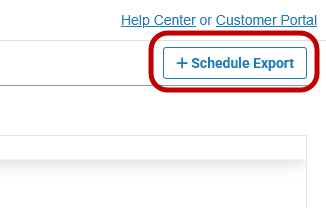
  Click "+Schedule Export," give the export configuration a name:
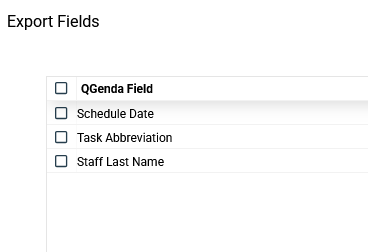
  Make sure you have these fields:
  Now you should be able to see the configuration on the report page.
Click on Reports: On the popup, Choose "Schedule Export" under "Report Type," choose "CSV" for format. Pick the
time frame to export (max 1 year). Pick "Default" configuration: If you don't have configuration, you can create one by going to Settings: Click "Reports" and then "Schedule Exports": Click "+Schedule Export," give the export configuration a name: Make sure you have these fields: Now you should be able to see the configuration on the report page.